For medical experts
Complete your credentials, set your fees, and start reviewing matched cases in the Case Feed.
What you'll do
By the end of this page, you'll have a verified expert profile, a fee schedule, a payout method, and your first matched case waiting in the Case Feed.
Before you start
- Your 10-digit NPI number. (If you don't have an NPI — for example, you're a nurse practitioner, PA, or other clinician — you can skip this step; you'll be verified through a brief review before your profile goes live.)
- Your specialty and any sub-specialties you practice.
- A way to receive payouts — a bank account, a PayPal account, or a mailing address for cheques.
If you were invited to a network
Your network admin manages the roster, but credentials and payouts stay with you. You still complete your own NPI, specialty, and payout steps so attorneys can match against your profile and earnings reach you directly.
Step-by-step
-
Sign up with your professional email (or continue with LinkedIn), then confirm the verification email.
-
On the role gate ("How will you use Kalivar?"), choose I'm a medical expert. This routes you into the solo-expert path. Physicians, nurse practitioners, and other clinicians all use this option.
-
Enter your NPI on the credentials step. Kalivar verifies it against the NPPES registry and pre-fills your name, primary specialty, and state. If your registry name differs from the one you signed up with, you'll see a notice — that's normal.
-
Confirm your specialty and any sub-specialties. NPI-derived specialties are pre-selected and locked; add any others you also practice. Stronger specialty selection means stronger matches.
-
Complete the About-you step: display name, mailing address, and phone number. The form pre-fills from NPPES when available.
-
Set your fee schedule. This is what attorneys see when they consider you for a case. See Credentials and profile for guidance on pricing.
-
Choose how you want to be paid on the Earnings page — Stripe direct deposit, PayPal, or mailed cheque. See Earnings and payouts.
-
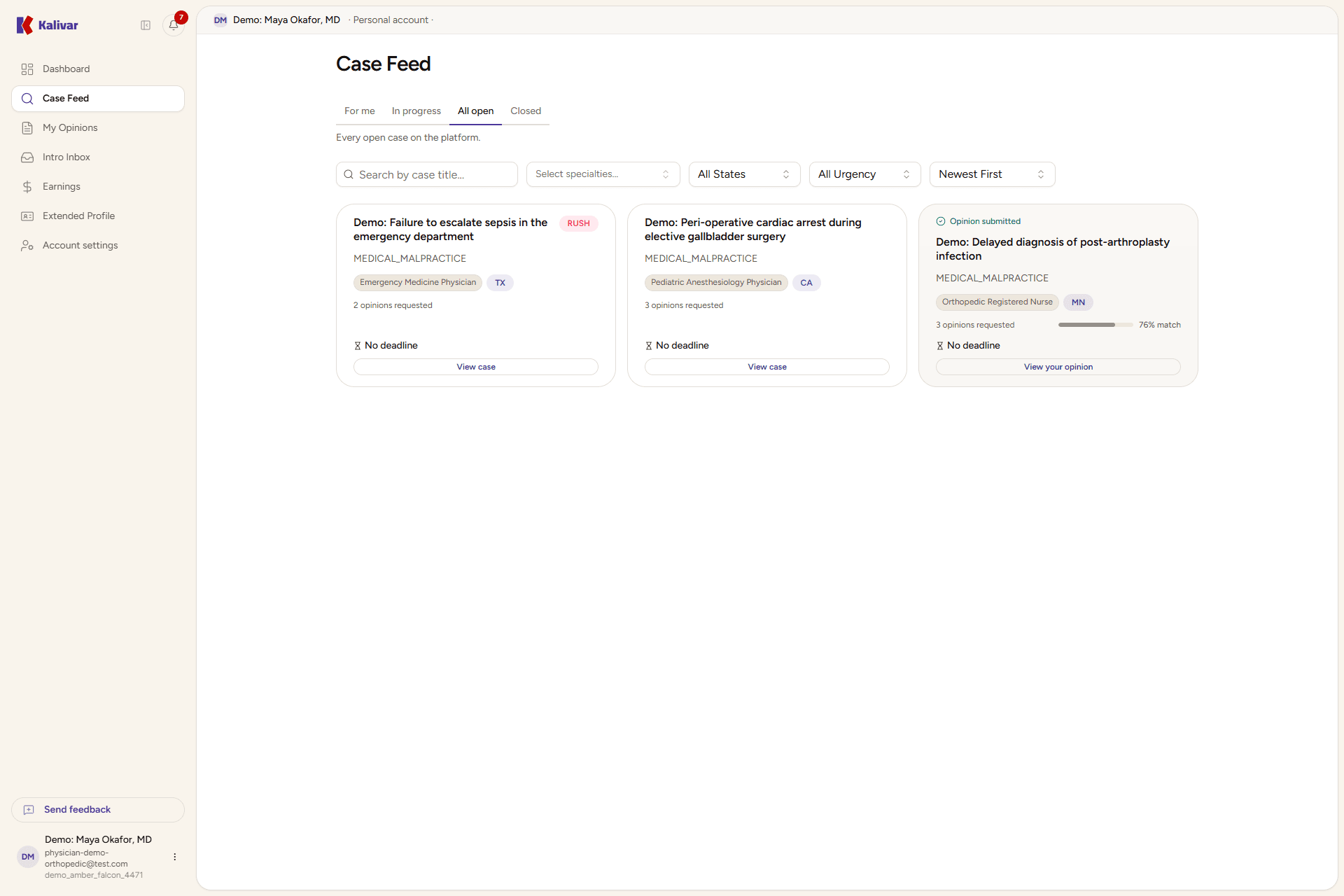
Open the Case Feed from the sidebar. Cases that match your specialty appear here as cards showing the case title, specialty, jurisdiction, urgency, and your match score.
-
Accept your first matching case to start an opinion. Once accepted, the case opens in the editor and stays yours until you submit. See Feed and case stream.
Tips
- Keep your specialty list narrow and accurate — broad selections dilute match quality and waste your time.
- Declining a case in the feed has no impact on your standing. Only accept cases you intend to write.
- Your first opinion takes the longest. The editor remembers your preferences (formatting, sections you reuse) and gets faster.
- An opinion that's submitted but not selected by the attorney is Reviewed. An accepted one is Rewarded and triggers your payout.